


Dual Camera Sides
3.0113.00 Reviews
App Specs
- Version
- 8.1.0
- Updated On
- License
- Free
- Downloads
- 500,000+
- Developer
- One Music Player
- Categories
- Libraries & Demo
- Platform
- Android, iOS
Screenshots
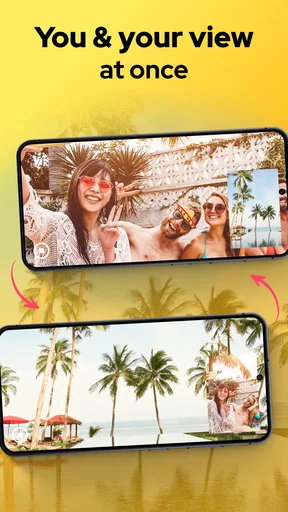
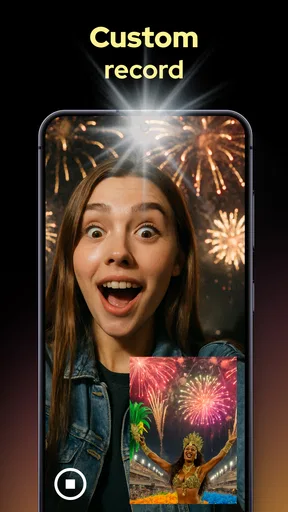
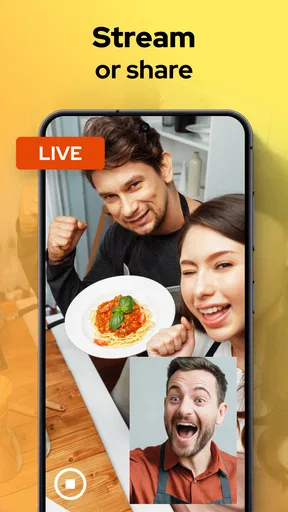
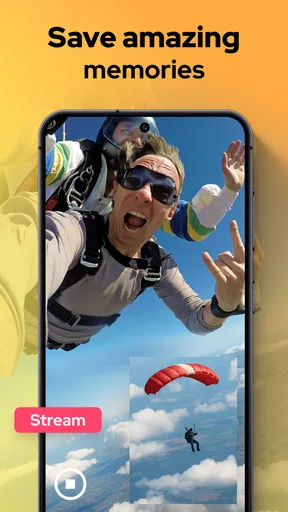
 Analysis by AppCompare
I like the idea behind Dual Camera Sides most when a moment has two things worth seeing: what’s happening in front of me and how I’m reacting to it. This camera app records with the front and rear cameras at the same time, turning a simple clip into a small, two-perspective story. It’s a specific tool rather than an all-purpose video editor, and that distinction matters when deciding whether it belongs in your regular camera routine.
Who benefits from recording both viewpoints
The best fit is someone who regularly explains or reacts while filming: a casual vlogger walking through a place, a traveler describing a view, or a home cook showing a process while speaking to the camera. A parent might also find the format useful for capturing a child’s performance and their own commentary together, although I’d still prioritize being present and keeping the phone safely positioned.
It is less compelling if you only want polished footage of scenery, a clean talking-head clip, or a conventional video to edit later. In those cases, the phone’s standard camera is usually simpler, and a separate editing app gives more control over timing and layout. Dual recording asks you to compose both views before you start, so the extra perspective is most valuable when your reaction is part of the story rather than an afterthought.
A practical recording routine
I’d treat a dual-camera clip like a tiny two-shot production. Before pressing record, decide which view carries the main action and where the smaller view can sit without covering it. For a walk-and-talk, that might mean keeping the road or landmark central and placing your face over an empty patch of sky or wall. For a demonstration, check that the inset won’t hide the hands, ingredients, or tool the viewer needs to see.
A short test clip is a useful habit, especially in a new setting. It lets you check framing, your speaking volume, and whether the two views feel balanced before you record something you care about. I’d also hold the phone steadily and avoid moving abruptly between the front and rear camera perspectives: the appeal is seeing both at once, but a shaky main view can still make the result hard to watch.
That routine is more important than chasing a complicated setup. Dual recording gives you a distinctive composition, not automatic storytelling. A clear subject, a brief explanation, and a deliberate camera position will usually make a stronger clip than recording for a long time and hoping the two angles somehow come together.
What to check before relying on it
Dual-camera recording puts more demands on a phone and on the person filming than using one camera alone. I would check how the app behaves on my device before planning a long take, and keep early recordings short enough to review. This is particularly sensible if I’m capturing a one-off event: the unusual format is fun, but it shouldn’t be the only copy of a moment I cannot recreate.
Worth Reading Before You Choose

Flipboard Shows What News Apps Must Do Beyond the Feed

Switching to Android Auto Means Rethinking Your Driving Routine

Google Calendar Makes a Crowded Week Easier to Manage

Ludo King Makes the Most of the Minutes Between Plans

Baby Panda World Brings Quick Play to Modern Phones, but Its Game Library Feels Busy

ESPN’s Live Game View Makes Following Close Games Easier
Think about the sound and surroundings, too. If you are speaking while recording, background noise can compete with your explanation, and the front-facing view may show more than you intended. A quick glance at both frames before recording helps avoid including private details, strangers, or distracting clutter. These are ordinary filming checks, but they matter more when two views are being captured together.
Getting Started with Dual Camera Sides
First things first, installing the Dual Camera Sides app is a breeze. Available on both Android and iOS, you can easily find it in the app store. Once installed, the app greets you with a clean and intuitive interface. No overwhelming menus or confusing options here—just a straightforward setup that makes it easy to start capturing those dual perspectives.
Features that Stand Out
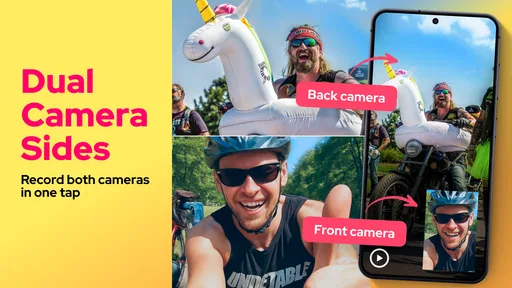
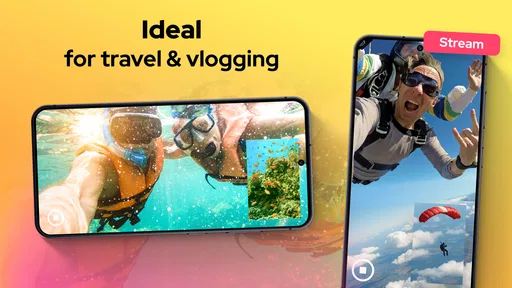
Let’s talk about what really makes this app shine. The primary feature, of course, is the dual-camera recording. This means you can capture a selfie video while simultaneously recording what’s in front of you. Imagine the possibilities! Whether you're a vlogger, a traveler, or just someone who loves to share moments with friends, this feature can add a whole new dimension to your storytelling.
Besides its main attraction, the app offers a few more gems:
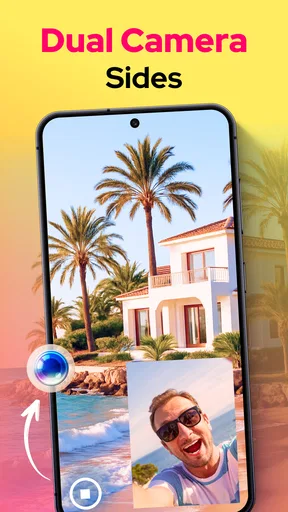
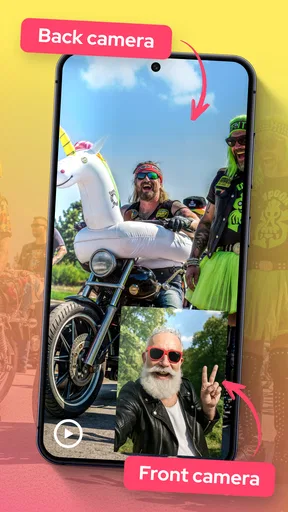
- Picture-in-Picture Mode: This option lets you overlay the front camera view onto the rear camera's video, giving a professional feel to your recordings.
- Split-Screen Option: Want to show both views equally? The split-screen feature divides the screen, so both perspectives get their time in the spotlight.
- Adjustable Camera View: You can resize and move the picture-in-picture window to best fit your storytelling needs.
Using Dual Camera Sides in Real Life
Now, I know what you’re thinking: “This sounds cool, but how practical is it?” I put the app through its paces during a recent trip to the park. Walking down a scenic path, I was able to capture the beautiful surroundings while narrating my thoughts and reactions. The dual perspective truly added a layer of depth to my video, making it feel more immersive and personal.
Moreover, for those of you who are into creating content, this app can significantly enhance your videos. Imagine cooking tutorials where you can show the dish and your expressions, or reaction videos where your audience can see what you’re watching in real-time.
Settings and habits that make a difference
For repeatable results, I’d settle on one layout for each kind of clip instead of changing the composition halfway through a recording session. Picture-in-picture suits a subject-led video when my face is commentary; split-screen makes more sense when both views deserve equal attention. That simple choice prevents the smaller frame from competing with the action and makes a sequence of clips feel intentional.
Before filming, I’d check the preview for glare, backlighting, and any important detail near the edge of the frame. With two angles, a position that works for one camera may be awkward for the other. I’d also rehearse the opening sentence while holding the phone where it will actually be used. That catches the common mismatch between a well-framed scene and a face that is too close, too low, or partly out of view.
Where this sits among camera alternatives
Compared with a standard camera app, the main advantage is convenience: both perspectives are captured together, so I don’t have to film a reaction separately and try to recreate it later. The trade-off is less freedom to refine each angle independently. If I need careful edits, multiple takes, or a particular visual style, recording separate clips and assembling them in a video editor is the more flexible route.
Compared with a dedicated camera setup, this app keeps the process compact and spontaneous. That is handy for a quick walk-through or an informal demonstration, but it does not replace planning, lighting, or a stable support when those are central to the result. I see it as a lightweight way to add a second point of view, not as a shortcut to a fully produced video.
Who should try it—and who should pass
The app is free to download, is listed for everyone, and is developed by One Music Player. It sits in the libraries and demo part of the app world, though its practical appeal is plainly its camera use. It has a 3.0 average from around 5,300 ratings, with more than 500,000 installs; I’d treat that as a reason to approach it with realistic expectations rather than assume it will suit every phone or filming style. Version 8.1.0 is the current release, and it requires Android 7.0 or later. In-app purchases range from $0.99 to $99.99 per item, so I’d check the purchase details before choosing anything beyond the free download.
If your videos depend on showing your expression alongside what you see, the two-view format is genuinely useful and easy to understand. If you need a dependable professional workflow, fine control over each camera, or a conventional single-angle recording, I’d stick with the phone’s normal camera or use a dedicated editing process. The app’s strongest use is narrower: capturing a spontaneous moment where the scene and your response belong in the same clip.
Limits worth keeping in mind
My main reservation is that synchronizing two camera feeds can occasionally feel imperfect; I’ve noticed slight delays. That matters most when precise timing is essential, such as speaking in step with a fast-moving demonstration. For casual commentary, it is less distracting, but I wouldn’t build a tightly edited project around untested footage. Make a brief sample, play it back, and decide whether the timing is acceptable for your purpose.
There is also a practical trade-off in attention. While walking, cooking, or filming another person, checking framing and reacting to the screen can pull focus from the activity itself. I’d set the composition before the interesting moment begins, keep the phone secure, and avoid adjusting the inset while moving. For anything safety-sensitive, a second camera angle is not worth losing awareness of what is happening around you.
Ending Thoughts
In a world where content is king, finding new ways to engage and entertain is crucial. Dual Camera Sides provides a unique tool for creators to express themselves more dynamically. While there are a few minor bugs that pop up occasionally—like slight delays in synchronizing the cameras—the app’s innovative concept and ease of use make it worth a try.
So, if you’re ready to explore a new way of capturing memories and stories, give Dual Camera Sides a shot. It might just become your new go-to app for creating engaging content. Happy filming!
Pros
- Easy to switch between cameras.
- High-quality photo resolution.
- User-friendly interface.
- Minimal lag during capture.
- Lightweight app size.
Cons
- Limited editing tools available.
- No video recording feature.
- Occasional ad interruptions.
- Requires access permissions.
- No cloud storage integration.
FAQs for Dual Camera Sides
What is Dual Camera Sides and how does it work?
Dual Camera Sides is an innovative app that allows users to simultaneously capture photos or videos using both front and rear cameras on their device. This feature is perfect for vloggers, travelers, and anyone looking to capture their surroundings and reactions at the same time. Once installed, the app provides an intuitive interface to easily switch between camera modes and start recording.
Is Dual Camera Sides compatible with all smartphones?
While Dual Camera Sides is designed for both Android and iOS devices, compatibility may vary depending on the phone model and OS version. Generally, newer devices with updated operating systems support dual camera functionality better. It's recommended to check the app's compatibility on the Google Play Store or Apple App Store before downloading.
Does Dual Camera Sides require an internet connection to function?
No, Dual Camera Sides does not require an internet connection for its primary functions, such as capturing photos and videos. However, an internet connection might be needed for downloading the app, accessing updates, or sharing content directly from the app to social media platforms.
What are the key features of Dual Camera Sides?
Dual Camera Sides offers several key features, including simultaneous front and rear camera recording, customizable layouts, easy sharing options, and adjustable resolution settings. The app also provides editing tools to enhance your content before sharing, making it a versatile tool for content creators and casual users alike.
Are there any in-app purchases or subscriptions required in Dual Camera Sides?
Dual Camera Sides is typically free to download, but it may offer in-app purchases or subscription plans to unlock premium features. These can include advanced editing tools, additional layout options, and the removal of ads. Users should review the app’s pricing details on the app store for a complete understanding of any potential costs.


